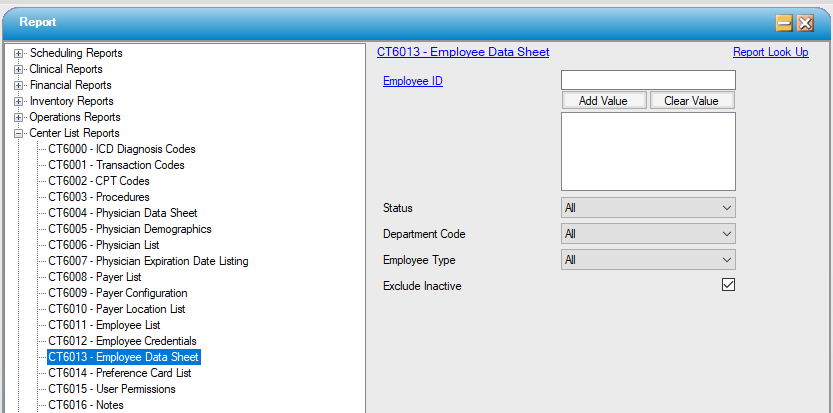
CT6013 – Employee Data Sheet
Function:
Displays detailed and personal and or sensitive employee information such as salary if entered into the Employee area under Administration.
Additionally, credentialing and background check information will be displayed. This report contains personally sensitive information and access should be restricted.
A new page will print for each employee.
Usage:
Filter by Employee ID, Status, Department Code and Employee Type.
Report excludes Inactive employees by default; to report on all employees uncheck the "Exclude Inactive" check box.
Hints and Tips:
INCLUDES all employees unless otherwise specified.
Notable Areas:
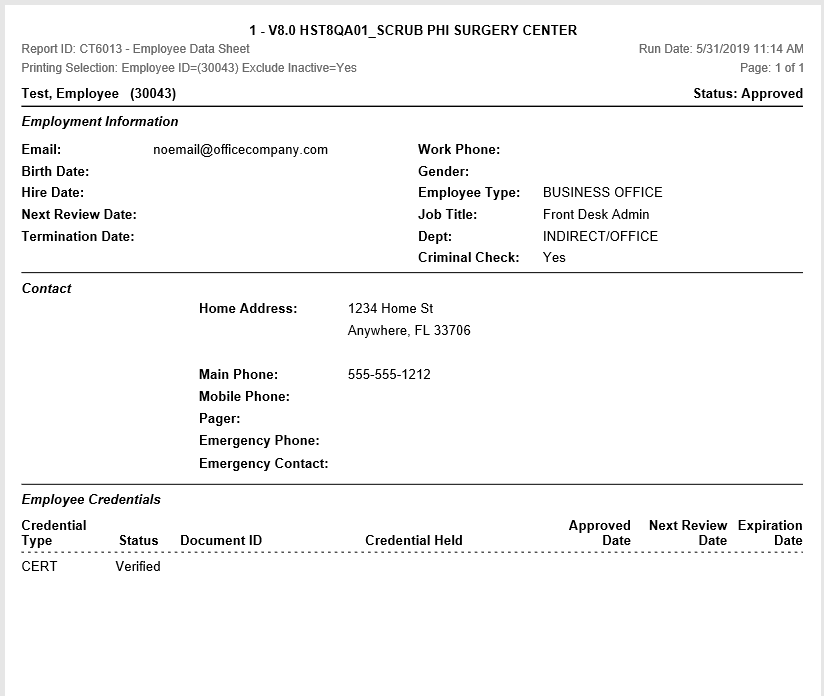
Employment Information: Displays employment-specific information for this employee, including hire date, review date, employee type, department, and criminal check flag.
Contact: Prints the contact information for this employee; includes all contact numbers entered under Employee, Contact tab, as well as the home address on the Address tab.
Employee Credentials: Displays the information for each Credential Type entered on the Credentials tab, including status, next review date, and expiration date.
Sample Report:
For details on available output types, please see the Reports Overview help page.
Report Filter: